Build an AI chat wrapper: conversations, streaming and provider access
An AI chat wrapper combines your own interface and conversation storage with a configured model provider. The useful first product is a reliable chat workflow for a defined audience. It does not require training a model, adding autonomous tools or executing generated code.
By Clone4.me · AI-assisted editorial ·
A practical starting point
Use a browser client, authenticated server endpoint and durable conversation records. Keep provider credentials server-side, implement streaming and cancellation honestly, and define usage limits. Search-backed answers and app-building previews are separate extensions with different requirements.
Choose the product before the model menu
A private writing companion, a team support drafting tool and a public general chat site have different data and access requirements. Choose one audience, a small set of supported model configurations and a clearly described history policy.
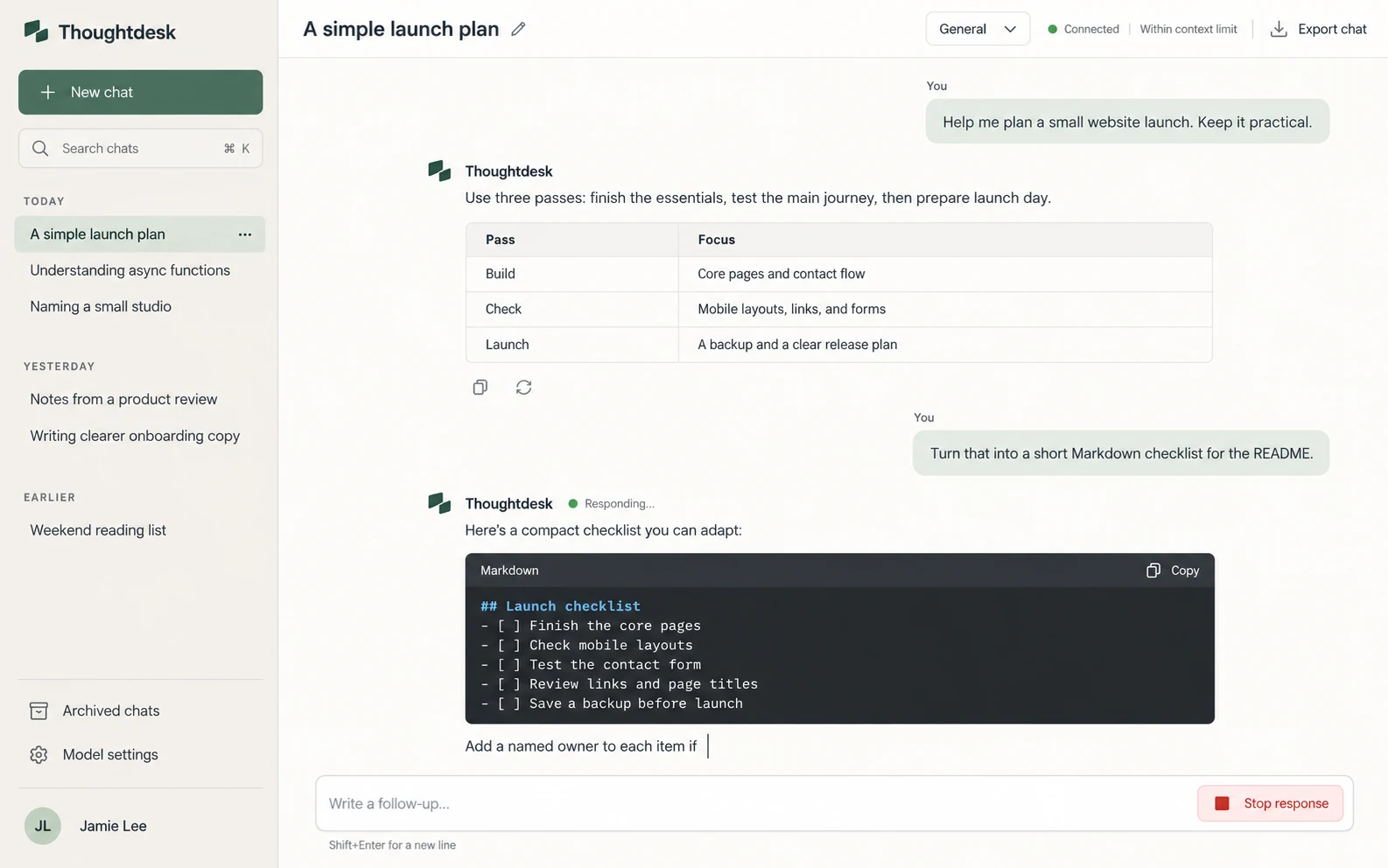
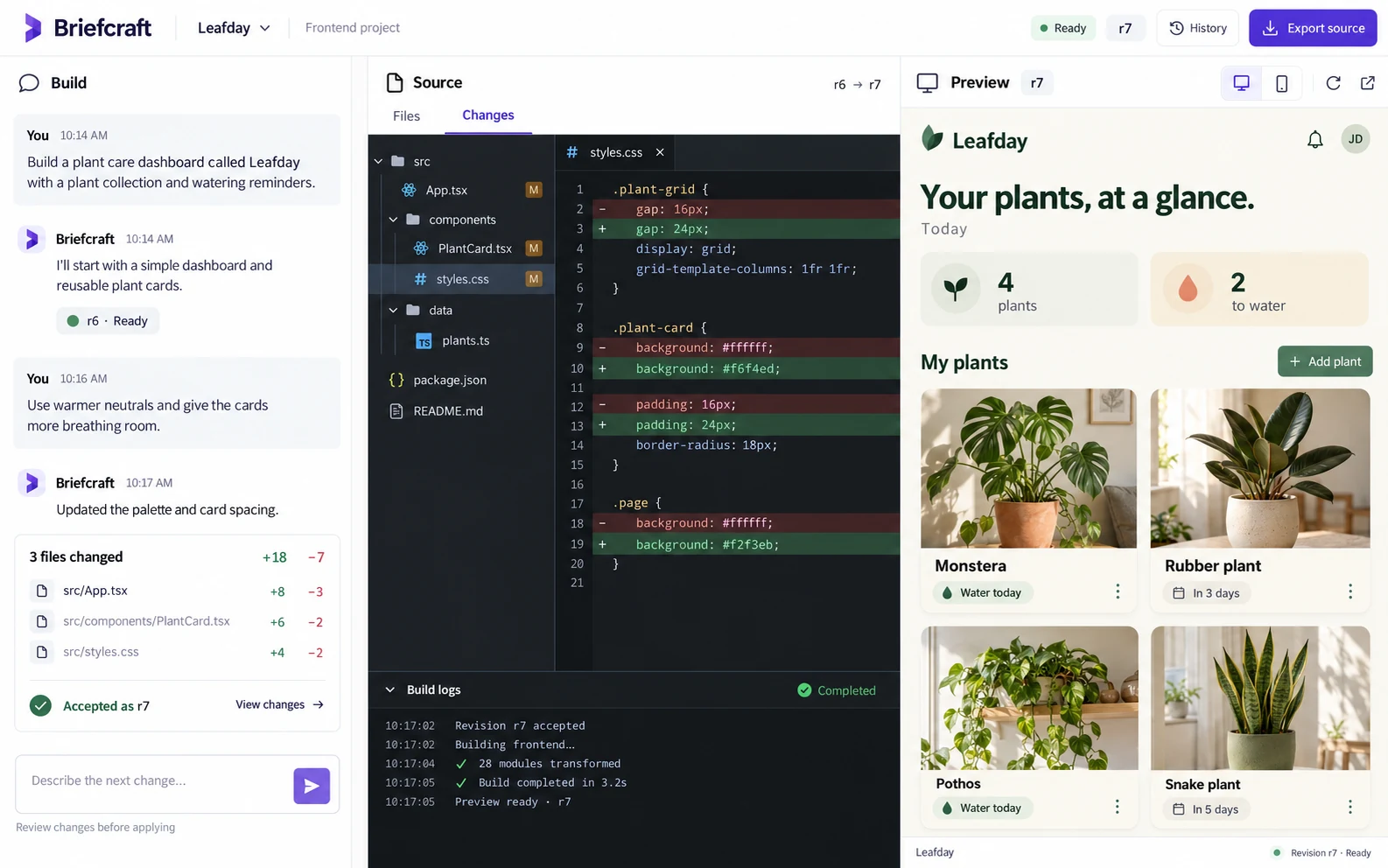
A ChatGPT-style wrapper uses an existing provider; it is not the ChatGPT product or a newly trained model. Perplexity-style answers require actual retrieval and source references. A Lovable-style builder also needs structured source changes, revision history and safe preview execution. Do not treat those as cosmetic additions to chat.
Keep provider access behind your backend
The browser should call your authenticated endpoint, which validates input, checks usage and calls the selected provider. Choose the provider’s current official SDK or API during implementation, verify available models and handle its actual error/usage fields. Avoid hard-coded claims about model availability or a universal per-message price.
Store credentials in the deployment’s private secret configuration, not client bundles, Git or exported chat history. OWASP’s secrets guidance is a useful operational reference. Also decide which conversation content is sent to the provider and explain that data flow before real use.
References: OWASP secrets management
Represent generation as a durable operation
A message can be pending, streaming, completed, stopped or failed. Store enough state to show what actually happened after reload. A partial answer should not silently become a completed answer when the connection drops. Give each generation a stable ID so retries are deliberate and traceable.
Cancellation needs to stop the active transport and provider work where supported, then preserve an explicitly stopped partial result. Decide how regenerating an answer affects conversation branches or the original answer. The interface should distinguish a new request from retrying a failed save.
| Layer | Responsibility |
|---|---|
| Browser | Compose, display chunks, stop and show recoverable errors |
| Server | Authentication, ownership, limits and provider call |
| Conversation store | Durable messages and generation states |
| Provider configuration | Supported model choices, secrets and usage interpretation |
Protect history and bounded usage
Check ownership on every conversation, message, export and streaming endpoint. Render model output as untrusted content; a Markdown renderer should not execute supplied HTML or scripts. Keep errors informative without leaking keys or another user’s prompt.
Set explicit input/output bounds and per-user or account usage controls. Provider outages, timeouts and rate limits should produce recoverable states. A visually correct message list does not demonstrate those behaviors. Test with two accounts and missing credentials before inviting users.
- Reload during an answer and inspect the stored partial state.
- Stop, retry and double-click send without creating accidental duplicate generations.
- Request another account’s history directly; deny it.
- Try malicious Markdown and a provider timeout.
Add search or generated previews only as separate milestones
For search-backed answers, store the actual retrieved sources and make citations traceable to them. A plausible-looking list of URLs is not retrieval. For app generation, keep changes reviewable and execute previews only in an appropriately isolated environment, separate from your main application and secrets.
Start with the full ChatGPT-style brief for basic chat. Use Perplexity when retrieval is the main value, Lovable for a constrained builder, or GitHub Copilot for a reviewed editor-assistant workflow. Keep their exclusions until you deliberately implement and verify the extra system.
Implement authenticated provider-backed chat with durable generation states, streaming, stop/retry and recoverable errors. Keep credentials server-side and verify current provider docs. Test conversation ownership and usage limits. Exclude browsing, tool execution and code previews until separately implemented.
Turn the plan into a complete brief.
Copy a tool’s full prompt, customize its sections, and keep the verification requirements with your project.