Build a Spotify clone with AI using your own audio library
A Spotify-inspired player is an approachable media project when it plays audio you have permission to use. Start with importing files, organizing playlists and making the queue behave correctly. This is different from gaining access to Spotify’s commercial catalog.
By Clone4.me · AI-assisted editorial ·
A practical starting point
The free brief describes a browser player using an audio element and IndexedDB for metadata and permitted audio files. Build deterministic queue behavior, handle unavailable files and storage limits, and avoid promising an unrestricted Spotify streaming service.
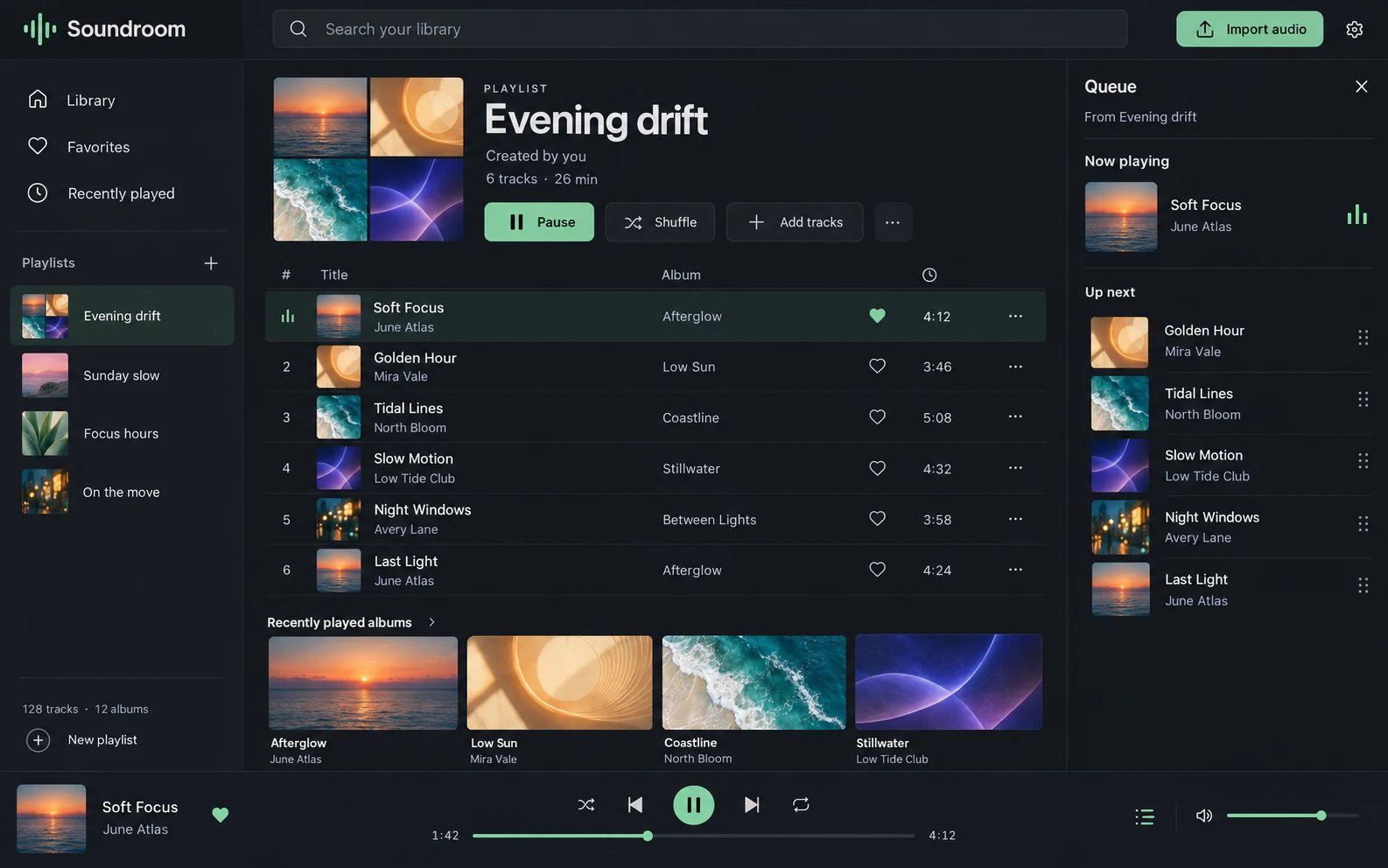
Choose independent playback or a Spotify integration
For an independent player, supply original, public-domain or properly licensed audio files. You control the library, playlist model and interface. This is the scope of our starting prompt. Use an original visual identity and sample collection rather than copying Spotify artwork, playlists or audio.
A Spotify-connected app has different constraints. Spotify’s Web Playback SDK creates a browser player connected to its service; its documentation and developer policy impose account, authorization and usage conditions. Spotify streaming is not a source of unrestricted media for a separately operated clone. Review the current terms before choosing that route.
References: Spotify Web Playback SDK · Spotify developer policy
Model the queue separately from the library
The library answers which tracks exist. A playlist answers which track IDs a user grouped. The playback queue answers what will happen next, including a temporary “play next” action. Keeping those separate avoids a common bug where playing an album unexpectedly rewrites a saved playlist.
Give each track a stable ID, metadata, duration and reference to its audio. Store queue position and repeat/shuffle preferences separately. Define what happens when the current track is removed: stop safely or move to a documented next item, then release the old media resource.
| Part | Question it must answer |
|---|---|
| Library | Which imported audio remains available? |
| Playlist | Which ordered track IDs are saved together? |
| Queue | What plays after the current item? |
| Player state | Where are playback position, volume and mode? |
Treat local persistence as storage with limits
IndexedDB can store structured records and blobs, making it useful for a local media library. Its presence does not guarantee unlimited space or permanent backup. Show a failed import if storage is denied or full and keep metadata consistent when a file write fails.
Load only the resources needed for current playback and release object URLs when finished. A local-first player should reopen its library without starting sound unexpectedly. If users need access across devices, plan authenticated backend storage and permitted delivery rather than describing browser storage as cloud synchronization.
References: MDN: IndexedDB
Write the playback test matrix
Use three clearly different short tracks. Test next/previous, seeking near the end, pause/resume, queue advancement, repeat-one, repeat-all and shuffle according to your documented rules. Reload after changing a playlist and confirm the order remains intact.
Then delete a queued track, import an unsupported file and fill the available storage in a test environment. Recover visibly. Avoid invented listener counts, recommendation accuracy or licensing coverage. The project can be a useful private audio organizer without claims that require a streaming business.
- Playback requires a real playable source, not a successful-looking play icon.
- A missing or rejected source should not freeze the queue.
- Favorites and history should reflect actual user actions.
Choose the right next media project
Customize Features and Data & behavior to define your queue policy or simplify imports. Add cloud access only when you are prepared to implement ownership checks, storage, backups and bandwidth controls. Keep API keys out of the browser if an external service is introduced.
YouTube adds creator uploads and processing; Netflix-style libraries add profiles and watch progress. They are useful adjacent references but require different content and delivery decisions. Begin with one playback workflow and verify it before combining them.
Use only permitted local audio. Keep library, playlists and temporary playback queue separate. Define removal, repeat and shuffle behavior. Verify import persistence, seek/advance, denied autoplay, missing tracks and quota failure. Do not integrate or scrape Spotify’s catalog.
Turn the plan into a complete brief.
Copy a tool’s full prompt, customize its sections, and keep the verification requirements with your project.